Build a Professional YouTube, Podcast & Video Production Studio From Scratch
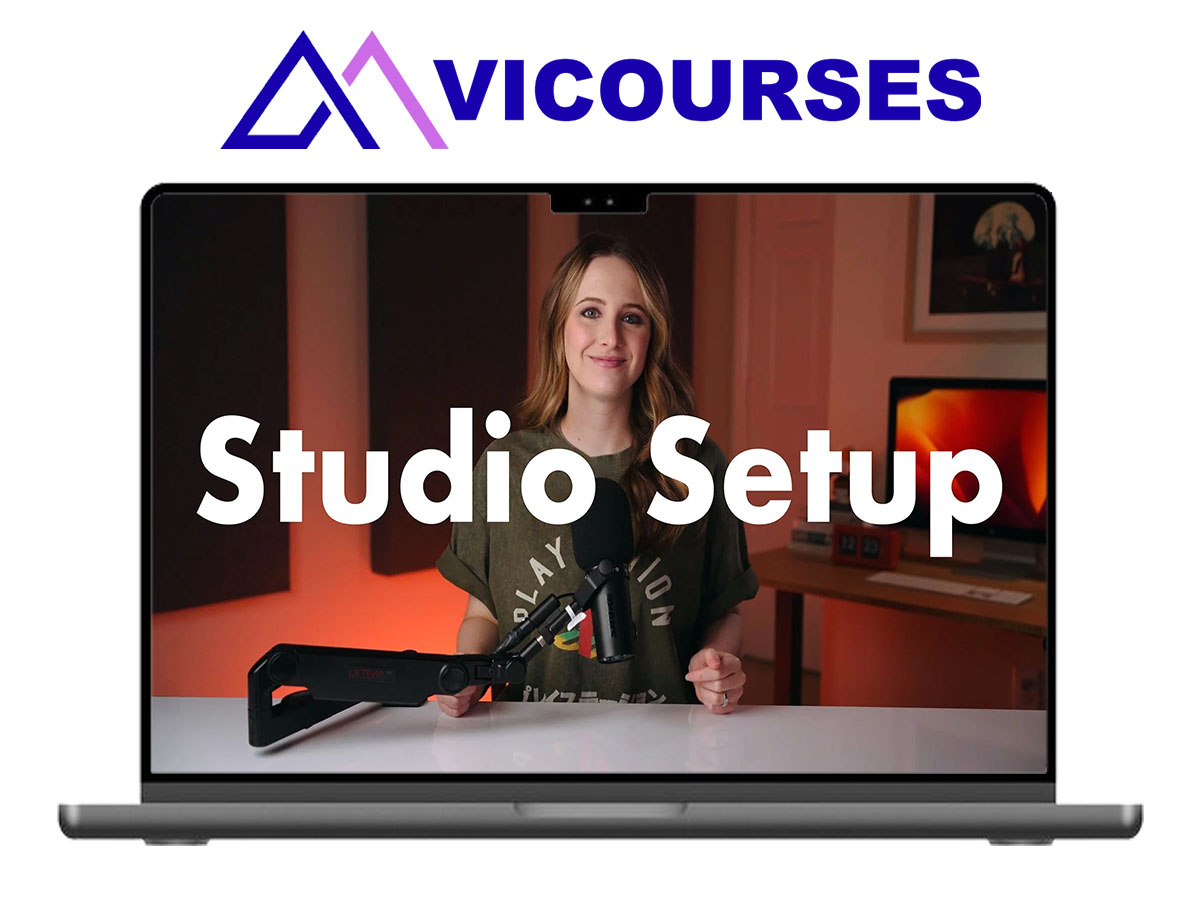
Sara Dietschy – Overkill Studio Setup is a comprehensive video production and studio-building course designed to help content creators, YouTubers, podcasters, entrepreneurs, and business professionals create professional-quality videos without spending countless hours researching cameras, lighting, microphones, and production equipment.
Created by YouTuber and podcaster Sara Dietschy, this training provides a practical roadmap for building everything from a simple home recording setup to a dedicated, multi-camera production studio. Rather than recommending expensive equipment without explaining how to use it, the program teaches how different components work together to produce clear audio, flattering lighting, effective framing, and polished video content.
Whether you’re recording YouTube videos, hosting remote interviews, creating podcasts, filming educational content, or building a studio for your business, Overkill Studio Setup by Sara Dietschy offers step-by-step guidance for selecting equipment, configuring your workspace, improving production quality, and developing an efficient content creation workflow.
What You’ll Learn
Inside Sara Dietschy – Overkill Studio Setup, you’ll learn how to:
- Build a professional home recording studio
- Choose cameras, microphones, lighting, and accessories
- Create a budget-friendly studio setup
- Configure an advanced desktop video production system
- Build a high-end studio for YouTube and podcasting
- Improve camera framing and composition
- Create attractive studio backgrounds
- Understand professional lighting techniques
- Record high-quality audio
- Set up a multi-camera podcast
- Improve remote interview production
- Edit video and audio more efficiently
- Manage podcast production workflows
- Explore podcast and content monetization strategies
- Develop a repeatable video production process
What’s Included
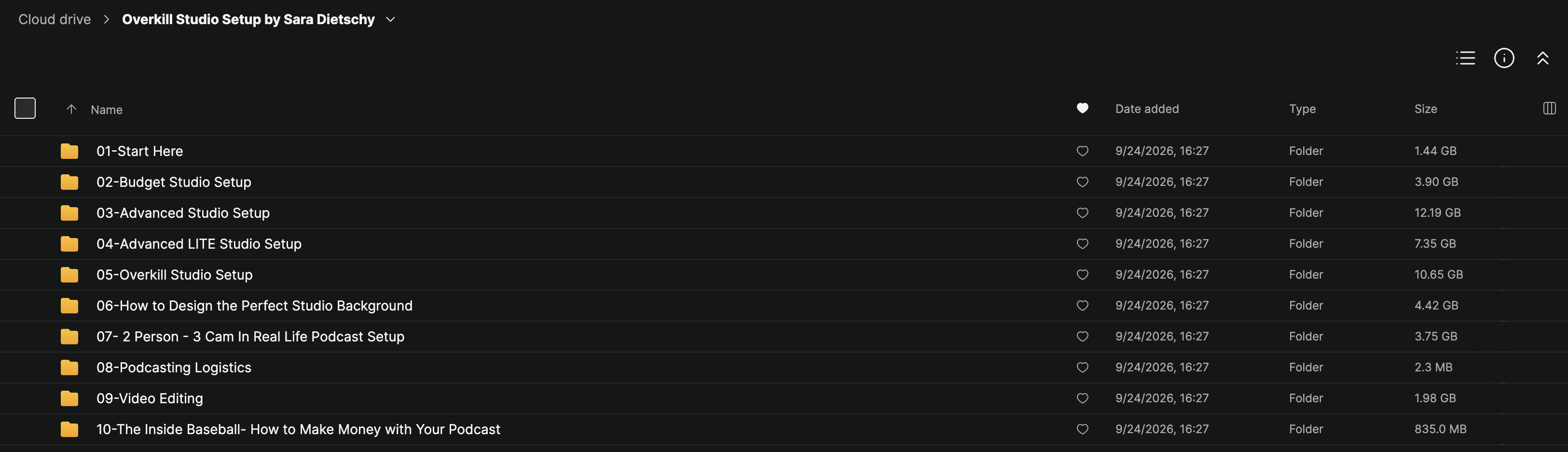
The provided course collection contains ten main training sections:
- Start Here
- Budget Studio Setup
- Advanced Studio Setup
- Advanced LITE Studio Setup
- Overkill Studio Setup
- How to Design the Perfect Studio Background
- 2 Person – 3 Cam In Real Life Podcast Setup
- Podcasting Logistics
- Video Editing
- The Inside Baseball – How to Make Money With Your Podcast
The program combines equipment guidance, practical video tutorials, studio design principles, production workflows, editing instruction, and monetization education.
According to the course’s sales-page material, the premium Overkill training package contains approximately 7 hours and 55 minutes of video instruction and more than 44,000 words of documentation.
Complete Overkill Studio Setup Course Breakdown
Module 1 – Start Here
Begin by understanding the purpose of the Studio Setup program and how to approach building a recording environment that matches your needs.
This introductory section establishes the foundation for choosing the right production setup based on your budget, available space, equipment requirements, and content goals.
You’ll explore:
- Understanding different studio configurations
- Planning your recording environment
- Identifying essential equipment
- Building a practical studio workflow
- Choosing an appropriate setup for your content
The goal is to help you make informed equipment decisions before investing in unnecessary accessories or complicated production systems.
Module 2 – Budget Studio Setup
Learn how to build a professional-looking recording environment without investing in expensive cinema cameras or a dedicated production room.
This section is particularly useful for beginners, remote workers, educators, and creators who want better video quality using equipment they may already own.
Topics include:
- Smartphone video production
- Using an iPhone as a webcam
- Budget-friendly microphones
- Compact lighting arrangements
- Improving camera positioning
- Creating a portable recording setup
- Achieving cleaner audio
- Building an affordable video production workflow
The course’s budget setup is designed around using a smartphone with approximately $500 of additional equipment, according to the original program description.
Module 3 – Advanced Studio Setup
Move beyond entry-level equipment and learn how to build a more sophisticated recording environment.
The Advanced Studio Setup introduces a desk-mounted configuration designed for content creators and professionals who want improved production quality while maintaining a clean, functional workspace.
You’ll explore:
- Mirrorless camera configurations
- Professional microphones
- Desk-mounted equipment
- Compact teleprompters
- Camera positioning
- Lighting placement
- Video conferencing optimization
- Remote podcast recording
The aim is to create a setup that can be used regularly for Zoom meetings, podcast interviews, and professional video production.
Module 4 – Advanced LITE Studio Setup
Explore an additional advanced studio configuration within the course collection.
This section provides another setup path for creators evaluating different equipment arrangements and production requirements.
It can be used alongside the Advanced Studio Setup training to compare approaches and determine which configuration fits your available space, budget, and preferred workflow.
Module 5 – Overkill Studio Setup
The Overkill Studio Setup is the central premium production section of the program.
Designed for creators who want a dedicated, high-quality recording environment, this module introduces a more comprehensive studio configuration built around professional video and audio equipment.
Topics include:
- Sony FX3 camera setup
- Professional lens selection
- Dual-display teleprompter configuration
- Video switching
- Three-point lighting
- Professional audio
- Camera and microphone positioning
- Studio equipment integration
- Dedicated production environments
Rather than simply showing which equipment to purchase, the training explains how the different components can work together as a complete recording system.
This configuration is relevant for YouTube channels, podcasts, interviews, educational videos, and corporate content production.
Module 6 – How to Design the Perfect Studio Background
Your studio background plays an important role in the visual quality and identity of your content.
This section focuses on creating an environment that looks intentional, supports your personal or business brand, and works well on camera.
You’ll explore:
- Studio background inspiration
- Background composition
- Lighting and depth
- Visual balance
- Choosing decorative elements
- Matching the background to your content
- Creating a recognizable recording environment
- Improving on-camera presentation
The sales-page description identifies a four-step studio background design process and a behind-the-scenes breakdown of Sara’s own studio background.
Module 7 – 2 Person, 3 Cam In Real Life Podcast Setup
Learn how to create an in-person podcast recording environment using multiple cameras.
This module focuses on building a practical production setup for conversations and interviews involving two people.
Topics include:
- Multi-camera podcast production
- Three-camera configurations
- Wide and close-up framing
- Camera positioning
- Microphone placement
- Lighting multiple subjects
- Recording in different locations
- Portable production considerations
- Podcast equipment planning
The course also introduces equipment options for different budgets.
Whether you’re recording in a dedicated studio, an office, or a temporary location, this training provides a framework for creating a more organized multi-camera production environment.
Module 8 – Podcasting Logistics
Producing a successful podcast involves more than having the right camera and microphone.
This section explores the organizational side of podcast production.
Topics include:
- Remote podcasting software
- Guest preparation
- Podcast recording workflows
- Production planning
- Communication with guests
- Organizing recording sessions
The original course description also identifies a Podcast Guest Welcome Notion Template as part of the podcasting logistics resources.
Module 9 – Video Editing
Learn how to transform recorded footage into polished video content.
The editing section focuses on practical workflows for remote podcasts and multi-camera productions.
Topics include:
- Remote podcast editing
- Multi-camera editing
- Managing recorded footage
- Organizing audio and video
- Switching between camera angles
- Improving editing efficiency
- Preparing finished content
The course description identifies a raw multi-camera podcast editing session, allowing students to study the editing process through a practical demonstration.
Module 10 – The Inside Baseball: How to Make Money With Your Podcast
The final section explores the business side of podcasting and content production.
Building a professional studio can improve production capabilities, but creators also need to understand how content can support commercial opportunities.
Topics include:
- Podcast monetization
- Sponsorship opportunities
- Brand partnerships
- Commercial positioning
- Pitching potential sponsors
- Developing podcast business opportunities
The course’s sales-page material references three podcast monetization approaches and Sara’s own podcast business experience, including a pitch deck and contracts.
Build a Professional YouTube Studio
One of the main applications of Overkill Studio Setup by Sara Dietschy is helping creators develop a dedicated environment for producing consistent YouTube content.
Rather than adjusting equipment every time you record, a well-designed studio can support a more repeatable production workflow.
The course explores the components involved in creating that environment:
Camera → Lighting → Microphone → Background → Teleprompter → Recording → Editing
Understanding how these elements interact helps creators develop a more organized approach to video production.
Master Professional Lighting and Audio
Camera quality alone does not determine whether a video looks professional.
Lighting, audio, framing, and the recording environment also influence the final result.
Through the different studio configurations, Sara Dietschy introduces practical approaches to improving these elements.
You’ll learn how to think about:
- Lighting your face
- Separating yourself from the background
- Reducing distracting shadows
- Positioning microphones
- Improving audio clarity
- Managing different recording environments
- Creating a consistent visual style
These principles can be applied to both simple home setups and more advanced production environments.
Create a Multi-Camera Podcast Studio
The dedicated podcast training is particularly relevant for creators looking to produce in-person interviews or conversation-based content.
A multi-camera setup allows producers to capture different perspectives and create a more dynamic viewing experience.
The course introduces a two-person, three-camera configuration, explaining how camera placement, framing, microphones, and lighting can work together.
Combined with the video editing section, this provides a broader understanding of the podcast production process, from recording preparation to preparing the finished episode.
Why Overkill Studio Setup Stands Out
Many creators spend hours comparing individual cameras, microphones, and lighting products without understanding how to combine them effectively.
Sara Dietschy – Overkill Studio Setup focuses on complete production environments rather than isolated equipment recommendations.
The training covers several connected areas:
Equipment Selection → Studio Configuration → Lighting → Audio → Camera Framing → Recording → Editing → Monetization
Key highlights include:
- Multiple studio configurations
- Budget-friendly recording options
- Advanced camera setups
- Professional lighting instruction
- Studio background design
- Multi-camera podcast production
- Practical video editing lessons
- Podcast business education
- Written documentation and video tutorials
Key Benefits
By working through the program, students can develop skills in:
- Planning a studio setup
- Selecting appropriate equipment
- Improving video production quality
- Recording clearer audio
- Building an attractive on-camera environment
- Creating efficient recording workflows
- Producing multi-camera podcasts
- Editing recorded content
- Preparing for remote interviews
- Understanding content monetization opportunities
Who This Course Is For
Overkill Studio Setup by Sara Dietschy is suitable for:
- YouTubers
- Podcasters
- Content creators
- Entrepreneurs
- Business owners
- Video producers
- Marketing professionals
- Online educators
- Coaches and consultants
- Startup founders
- Remote workers
- Freelancers
- Professionals recording educational content
- Teams building an internal video studio
The program is particularly relevant for people who want to improve production quality without developing every part of their setup through trial and error.
About Sara Dietschy
Sara Dietschy is a YouTuber, podcaster, and creative entrepreneur known for her work in technology, video production, creator education, and digital media.
Through her YouTube channel and That Creative Life podcast, she has developed extensive experience with recording equipment, studio environments, interviews, and content production.
Her Studio Setup program brings that experience into a structured educational resource covering everything from affordable home recording configurations to advanced multi-camera podcast studios.
Final Thoughts
Sara Dietschy – Overkill Studio Setup provides a practical learning path for creators who want to improve the way they record, produce, and present video content.
From budget-friendly smartphone configurations and advanced desktop setups to dedicated cinematic studios, multi-camera podcasts, studio background design, video editing, and monetization, the program brings together the essential components of a professional content production workflow.
Rather than focusing exclusively on equipment specifications, the training explains how cameras, lighting, audio, recording environments, and editing processes work together to produce polished content.
Whether you’re building your first home studio, improving an existing YouTube setup, or creating a dedicated podcast recording space, Overkill Studio Setup by Sara Dietschy offers structured guidance for developing a more capable and efficient production environment.